
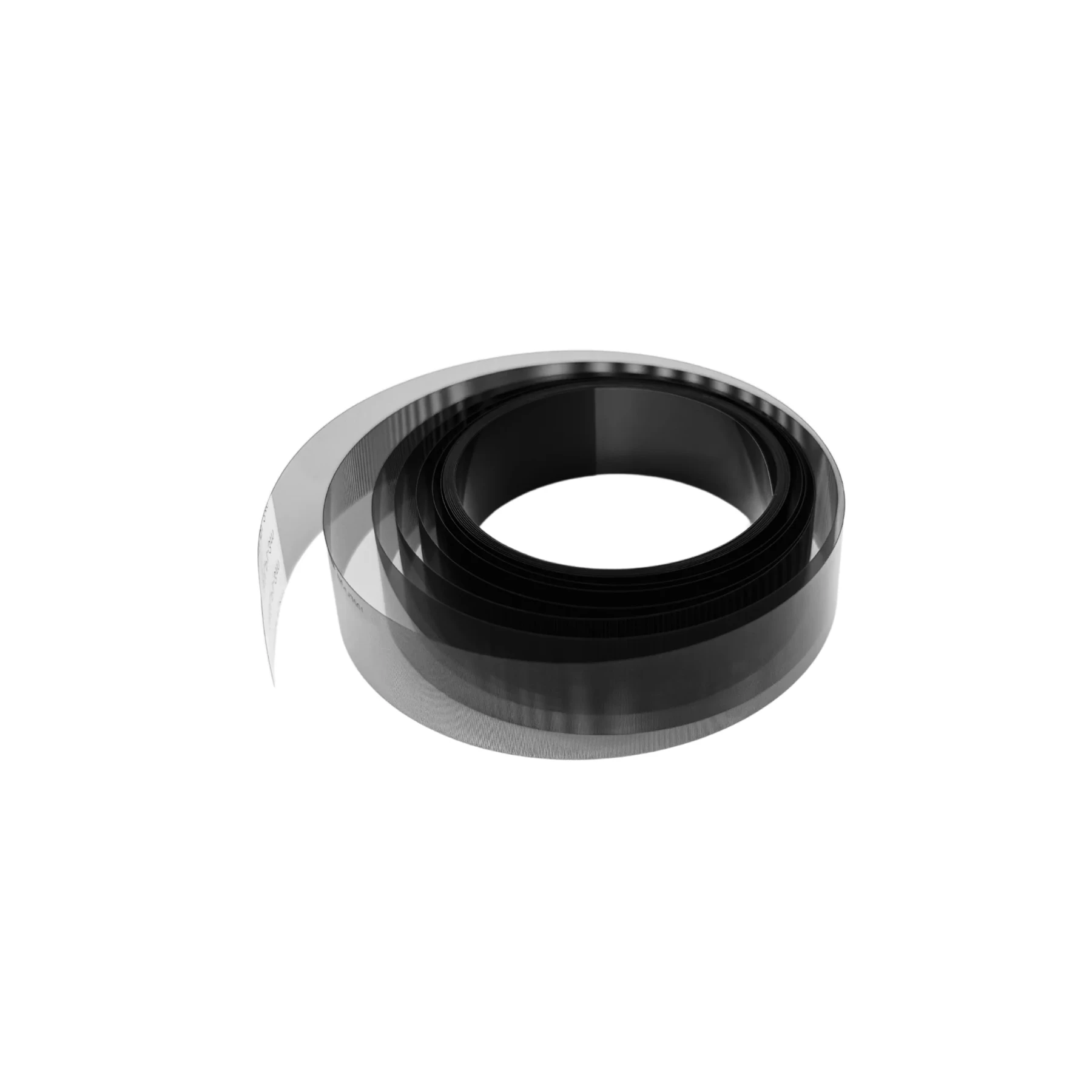

Features
Encoder Strip is available from YOUVSKEY. Review its features, technical details and handling guidance below to check suitability for your application.
- The ensures that CMYK and White ink layers align perfectly.
- When the encoder sensor cannot read the strip clearly, the carriage "stutters." This results in ghosting or vertical lines across your print.
- DTF environments involve ink mist and heat.
- Gentle Wiping Technique: Do not scrub the surface or apply heavy pressure.
- Maintain Proper Tension: The strip must be mounted firmly on its tension springs at both ends.
Specifications
| Product | Encoder Strip |
|---|---|
| Brand | PRINTIUM |
| SKU | SP-P604-0034 |
| Material | High-Grade Optical Polyester |
| Precision | 150 LPI / 180 LPI (Standard Industrial) |
| Compatibility | Epson i3200, XP600, 4720, and more |
| Durability | Anti-Stretch and Ink Resistant |
| Visibility | High-Contrast Micro-Lines |
Instructions
General handling guidance
- Check the exact model, dimensions and connection or mounting requirements against your equipment before use.
- Use the equipment manufacturer’s service manual for installation. Electrical, printhead and internal mechanical work should be carried out by a qualified technician.
- Switch off and isolate the equipment from its power supply before servicing; allow hot components to cool.
- Inspect the replacement part and preserve the original cable, tube and connector orientation. Do not force fittings or substitute an unverified electrical rating.
- After installation, follow the equipment manual’s inspection and test procedure before returning the machine to production.


Reviews
There are no reviews yet.